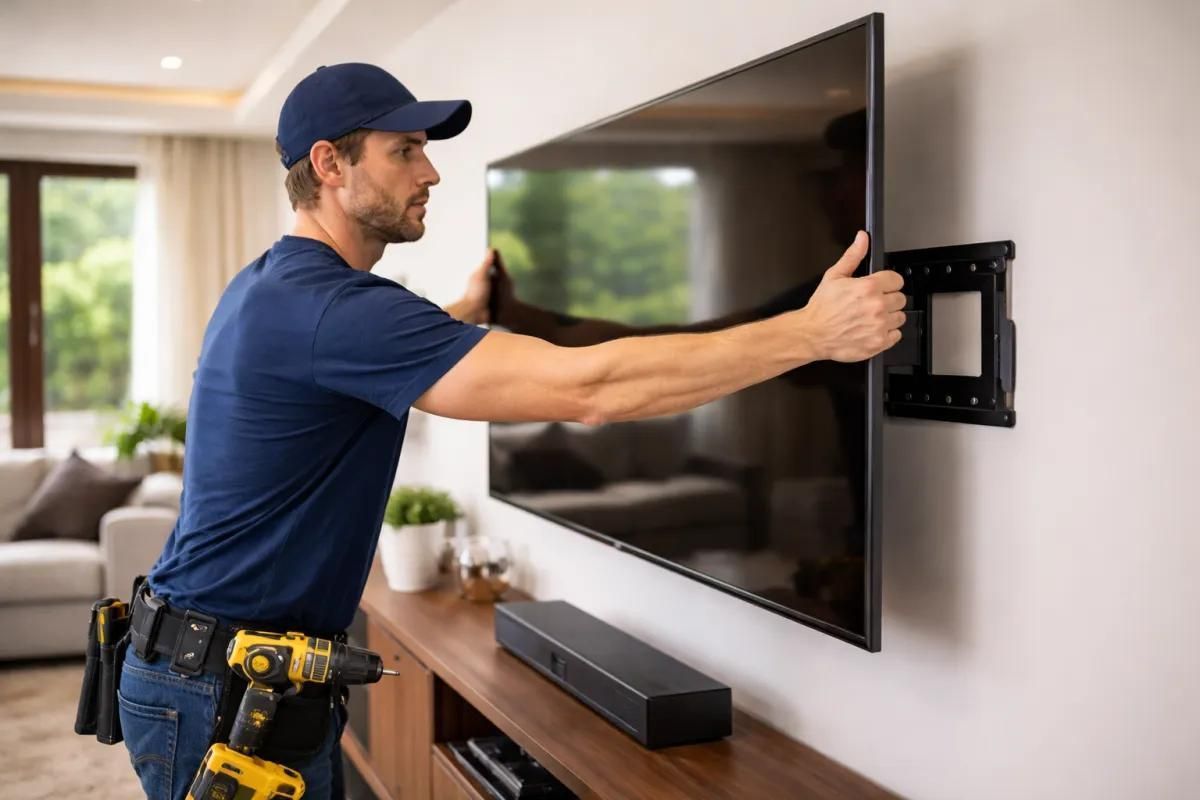
Wired vs. Wireless Security Cameras: Which Is Better for Your Home?
Choosing between wired and wireless security cameras is one of the first decisions homeowners face when planning a surveillance system. Each type has real trade-offs in reliability, image quality, installation effort, and long-term cost. This guide breaks down how both work, compares them head to head, and helps you figure out which fits your home.
Key Takeaways
Homeowners in Sparta, NJ and surrounding areas are weighing wired PoE cameras against wireless Wi-Fi and battery-powered options. The right choice depends on your property layout, budget, and how much coverage you actually need.
- Wired security cameras deliver more reliable video quality, support continuous recording, and store footage locally without monthly fees.
- Wireless cameras offer fast and DIY-friendly installation, flexible placement, and can be easily relocated without extensive rewiring.
- A hybrid setup combines wired and wireless cameras for flexibility and security, and it is the most common recommendation for mid-size homes.
- Factors like power outages, Wi-Fi signal strength, outdoor security camera placement, and future expansion all shape which system design works best.
Audio Video Concepts designs and installs both wired and wireless systems across the Sparta area. Call(973) 917-9032for a free in-home consultation, or visit oursurveillance system installationpage to learn more.
Wired vs Wireless at a Glance
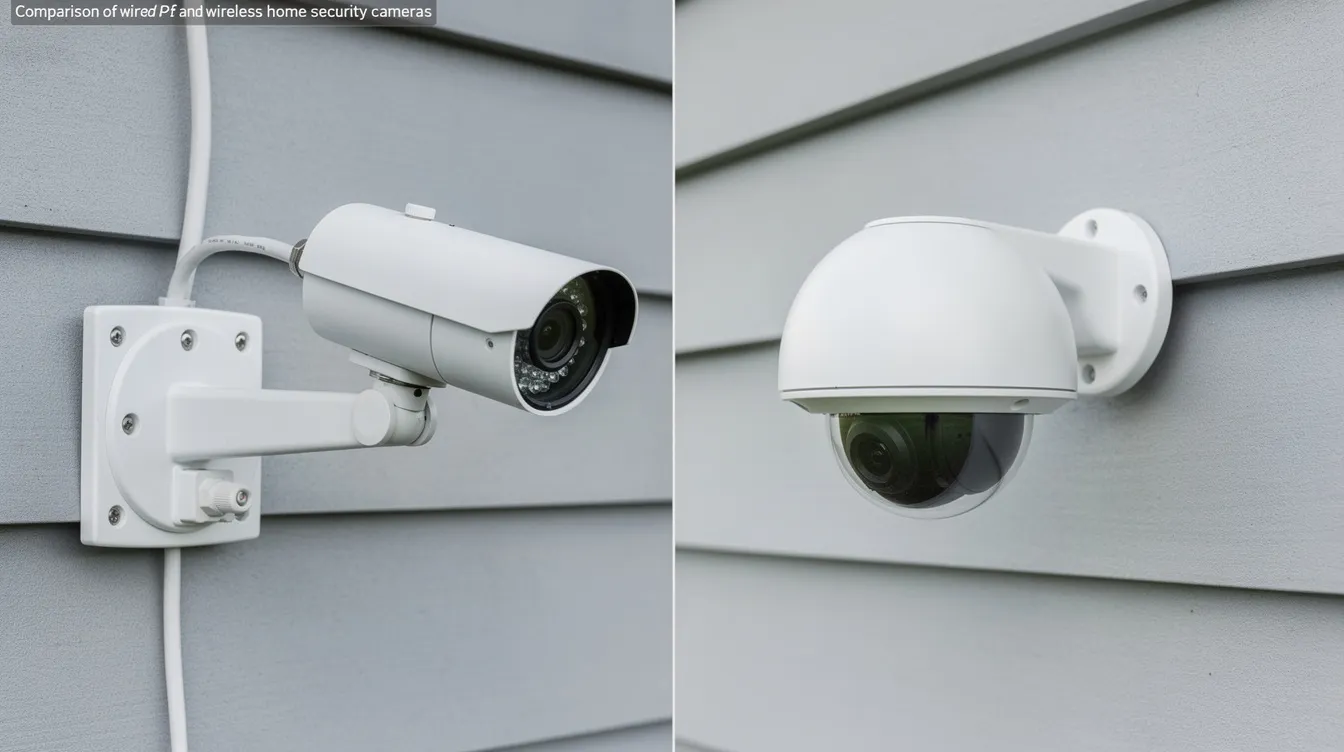
Before comparing features, it helps to understand three distinct categories. A wired PoE security camera system uses Ethernet cabling to carry both video data and electrical power from each camera back to a central recorder. A wireless Wi-Fi camera plugs into a wall outlet for power but transmits video wirelessly over your home Wi-Fi network. A truly wire-free battery camera has no cables at all - it runs on a rechargeable battery (sometimes supplemented by a solar panel) and wireless cameras communicate over Wi-Fi or a proprietary radio link.
Each type connects and stores video differently. Wired cameras connect directly to a security recorder, typically a network video recorder, for local recording on internal hard drives. Wi-Fi cameras save clips to a microSD card, a hub, or a cloud service. Battery cameras focus on motion-activated clips to conserve power.
| Feature | Wired PoE | Wireless Wi-Fi | Wire-Free Battery |
|---|---|---|---|
| Typical use | Permanent installations, full-property coverage | Porches, garages, interior rooms | Remote spots, rentals, temporary setups |
| Reliability | High - stable connectivity over Ethernet | Moderate - depends on Wi-Fi signal | Lower - depends on battery and Wi-Fi |
| Maximum distance | ~328 ft per cable run | Router range (typically 50–150 ft indoors) | Router range, often shorter |
| Recording options | Continuous 24/7 or scheduled | Continuous or motion clips | Motion clips only |
| Installation complexity | Higher - cable runs required | Moderate - needs power outlet | Low - mount and pair |
Consider a typical Sparta colonial: a PoE camera on the driveway for license-plate capture, a Wi-Fi camera under the porch eave, and a solar battery unit by the pool where running cable is impractical. That kind of mixed camera system covers every angle without overcomplicating any single install.
How Wired Systems Work
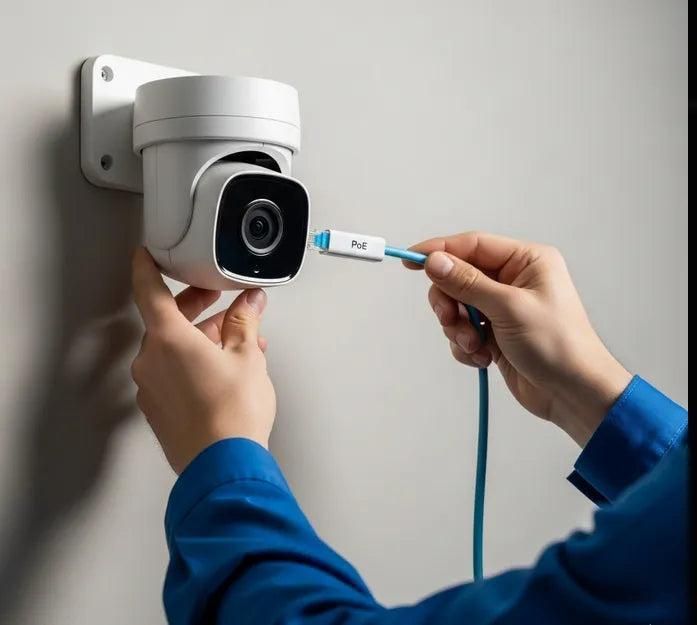
A typical wired security system starts with cameras mounted at key exterior points - front door, driveway, side yard, back deck - each connected by a single Ethernet cable that runs back to a PoE switch or directly to an NVR in a utility closet or basement. PoE allows a single Ethernet cable to deliver power and data, eliminating the need for separate power wiring at each camera location. The result is a clean installation with one cable per camera and no wall adapters.
The network video recorder handles 24/7 continuous footage, storing it on internal hard drives. NVRs can support up to 32 camera channels for centralized recording, so most homeowners start with a few cameras and have room to add more cameras later. Live viewing and recorded footage playback happen through a monitor, TV, or mobile app with remote access.
Ethernet cables can transmit data up to 328 feet without degradation, which covers most residential lots. For properties with detached garages, barns, or long driveways beyond that100-meter limit, PoE extenders or fiber-optic links bridge the gap. Wired cameras use permanent physical connections for video transmission, making them far less sensitive to Wi-Fi congestion - an important advantage when streaming high-resolution video from multiple cameras simultaneously.
If you are building or renovating, pre-wiring during construction simplifies future camera installations significantly. Audio Video Concepts offershome pre-wiring and new constructionservices specifically for this purpose.
How Wireless and Wire-Free Systems Work
The word "wireless" gets used loosely, so the distinction matters. Wi-Fi cameras still need a power source - they plug into an outlet or run off a low-voltage adapter - but they transmit video wirelessly over your home Wi-Fi network. Wireless cameras transmit video via radio frequencies without permanent cables. Wire-free battery cameras take it a step further: no power cord, no Ethernet, just a rechargeable cell and a Wi-Fi or radio link. Some models add a small solar panel.
Wi-Fi cameras join your network like any smart device, streaming to an app for remote viewing and saving video to cloud storage, a microSD card, or a local hub. Wireless camera performance may vary depending on Wi-Fi signal strength - thick walls, long distance from the router, and competing devices can all cause buffering or dropped frames. A well-designed home network mitigates most of these issues, which is why Audio Video Concepts also handlesWi-Fi and networkingupgrades.
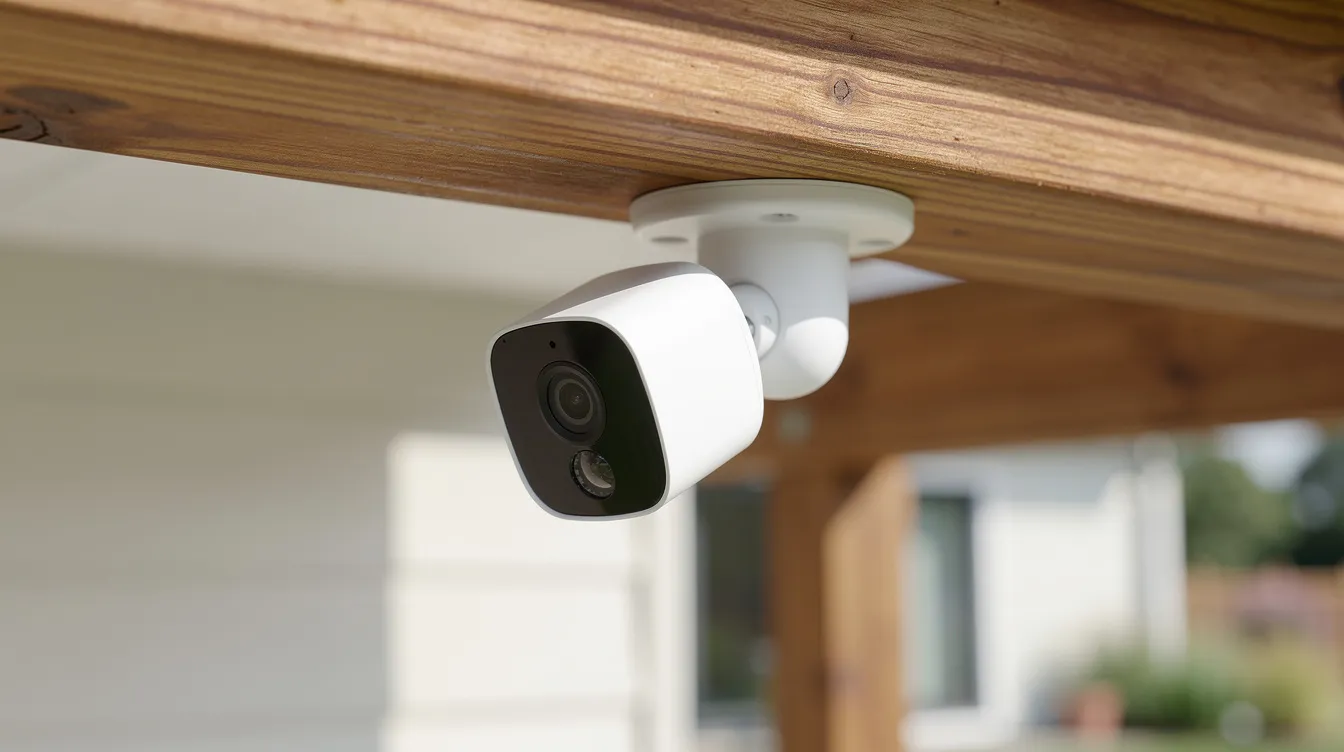
Battery-powered wire-free systems record only when motion triggers them, preserving battery life at the cost of potential gaps. Wireless cameras require regular battery charging every 2–6 months, depending on activity level and temperature. Cold New Jersey winters can shorten that window further. Night vision on battery models tends to be less powerful because the camera must ration power for infrared LEDs.
Wireless cameras make sense when you are renting and cannot drill, living in a small condo, dealing with a tricky brick or stone exterior, or only need a few cameras covering one or two entry points.
Pros and Cons of Wired vs Wireless Cameras
This is the section most homeowners skip to - here is the direct comparison.
| Aspect | Wired PoE | Wireless / Wire-Free |
|---|---|---|
| Reliability | Consistent - not affected by Wi-Fi congestion | Varies - wireless cameras are vulnerable to signal interference and battery drainage |
| Video quality | Supports 4K–8K+ resolutions without bandwidth constraints | Good at close range; may compress over weak Wi-Fi |
| Power outages | Down unless NVR and PoE switch are on a UPS | Plug-in Wi-Fi cameras also go down; battery units may keep recording briefly |
| Installation | More complex and labor-intensive | Simple mount-and-pair for most models |
| Ongoing cost | No mandatory subscriptions with local storage | Cloud plans often needed for full features |
| Flexibility | Difficult to relocate | Easy to move to a new spot |
Choose wired when you need always-on coverage of driveways, entry doors, and backyards - anywhere missing even a few seconds of continuous recording matters. Choose wireless for smaller spaces, temporary needs, or locations where only one or two cameras are practical. Wired systems typically have higher initial installation costs than wireless, but avoid the recurring cloud subscription fees that add up year over year.
Many Sparta-area homes benefit from a hybrid design: a wired backbone covering critical zones with selective wireless additions filling gaps. Audio Video Concepts plans these mixed layouts regularly.
Video Quality, Night Vision, and Reliability
Image quality determines whether you can actually identify a face, read a license plate, or spot a package on a dim porch during a New Jersey winter evening. Wired cameras can capture video up to 16MP resolution, and wired systems support continuous recording without signal degradation because video data travels over dedicated Ethernet rather than competing for Wi-Fi bandwidth.
Wired systems provide continuous power for stable video quality, which also means infrared LEDs in wired cameras improve night vision clarity - they can run at full strength around the clock. Many PoE models now offer color night vision using built-in spotlights or advanced low light sensors, performing well even in complete darkness. Battery cameras, by contrast, must conserve power, often dimming IR output or recording at lower frame rates.
Reliability follows the same pattern. A wired security system does not drop offline when someone microwaves popcorn or when the router reboots. Wireless systems are more susceptible to interference, though proper network design - dedicated SSIDs, Wi-Fi 6 routers, and strategic access-point placement - narrows the gap considerably.
Power, Network, and Storage: The Practical Differences
Power, network connectivity, and storage capacity work together to determine whether a camera actually captures what matters.
Power:PoE cameras receive power through the same Ethernet cable that carries video. Standard PoE supports up to 15.4 watts per port, enough for most outdoor cameras with IR and smart detection. PoE systems provide continuous power without battery management. Plug-in Wi-Fi cameras need a nearby outlet. During power outages, both types go dark unless you connect the PoE switch and NVR to a UPS battery backup.
Network:Hardwired Ethernet gives each camera a dedicated, interference-free data path - critical when streaming high-resolution video from multiple cameras. Wireless models share bandwidth with every other device on your Wi-Fi network, and internet connection quality affects remote access and cloud uploads.
Storage:Wired security cameras store video locally on recorders' hard drives. Local storage eliminates the need for monthly subscription fees, and storage capacity can be upgraded with larger hard drives as you expand coverage. Wi-Fi cameras with a microSD card slot offer a local backup, but cards are small and easy to steal. Cloud recording adds convenience and off-site redundancy but introduces recurring cost and privacy exposure - theFTC recommendsunique passwords and WPA2/WPA3 encryption for any internet-connected camera.
Recording:Wired systems allow continuous 24/7 recording without interruptions and support longer recording durations without performance loss. Motion-activated clips on wireless and battery units save storage but risk missing events if trigger zones are poorly calibrated. Most homeowners find 7–30 days of retained footage sufficient.
Installation and Maintenance Considerations
Installing wired cameras is more complex and labor-intensive than wireless cameras. It involves running Cat6 cable runs through soffits, walls, and attic spaces, using weather-rated junction boxes outside, and placing the NVR neatly in a closet or basement rack. PoE simplifies installation by eliminating separate power wiring, but the cabling work itself is real labor. For new builds and major renovations, running conduit and spare cables during framing saves significant time and cost - this is exactly what Audio Video Concepts handles throughhome pre-wiring services.
Wireless installation time is minimal: mount the camera, pair it with the app, confirm Wi-Fi signal, and you are live. The limitation is finding locations with both a strong signal and a nearby outlet (for plug-in models) or adequate sunlight (for solar). Brick, stone, and stucco exteriors common in North Jersey can degrade Wi-Fi significantly.
Maintenance differs too. Wired cameras need occasional firmware updates, lens cleaning, and visual inspections. Wireless systems add battery management, cloud subscription renewals, and ongoing Wi-Fi troubleshooting. Audio Video Concepts handles placement planning, mounting, aiming, network setup, app configuration, and homeowner training so the system works from day one.
Choosing a System for Your Home
The right answer depends on your home layout, budget, comfort with technology, and security priorities. A simple framework helps:
- Map entry points and vulnerable areas - front door, back door, driveway, side yard, basement windows.
- Decide which locations must record continuously - these are your wired camera candidates.
- Evaluate your current Wi-Fi strength - weak zones may need network upgrades before adding wireless cameras.
- Plan for future expansion - most NVRs ship with more camera channels than you will use initially, letting you add more cameras over time.
Prioritize PoE cameras on larger lots, long driveways, and detached structures where you want robust local recording without relying on the cloud. Wi-Fi or battery cameras work well for small townhouses or when only a single porch needs coverage and long distance transmission of cable is impractical.
For most Sparta-area homes, a hybrid system design - wired backbone plus selective wireless additions - delivers the best balance. Audio Video Concepts can walk your property, map coverage zones, and recommend the right mix.Call (973) 917-9032or visit ourcontact pageto schedule a free in-home estimate.
FAQs: Wired vs Wireless Security Cameras
These FAQs address practical questions homeowners frequently ask that go beyond the comparisons above.
Can I mix wired and wireless cameras in one home system?
Yes. Many modern platforms and apps support live viewing from both PoE and Wi-Fi cameras in a single interface. Compatibility depends on brands and recorder capabilities - some NVRs accept only wired inputs, while app-based systems can display both. Audio Video Concepts recommends combinations that keep controls simple and avoid juggling multiple apps, so you get a unified security camera system regardless of connection type.
What happens to my cameras during power outages?
Both wired PoE and plug-in Wi-Fi cameras stop recording when your home loses electrical power. However, connecting the PoE switch and NVR to a UPS allows the wired security camera system to keep capturing continuous footage for a limited time. Fully wire-free battery cameras can continue recording during outages as long as their base station or internet access remains available - though without internet, you lose remote viewing and cloud uploads.
Are wireless security cameras safe from hacking?
No internet-connected device is completely immune. Strong Wi-Fi passwords, WPA2 or WPA3 encryption, unique camera logins, and regular firmware updates greatly reduce risk. Keeping recorded footage on local storage through an NVR rather than a cloud service limits exposure further. Audio Video Concepts configures secure networks as part of every installation, including placing cameras on a segmented network to add additional context of protection.
How far can I run a cable to a wired PoE camera?
The standard maximum distance for a single Ethernet run is about 328 feet (100 meters). PoE cameras can be installed up to 328 feet from the power source without signal loss. Beyond that - for a detached barn, workshop, or end of a long driveway - PoE extenders or a fiber-optic link can extend the reach. Discuss long-distance runs during an on-site visit so cable routes and any warning light indicators for extenders can be planned properly.
Can I start small and expand my camera system later?
Absolutely. Most NVRs ship with more channels than you need on day one, so you can start with a few cameras and add PoE cameras as budget allows. Wireless cameras can also expand coverage if the network supports the extra load. The smartest move is planning conduit and spare cable runs during any renovation - that keeps future upgrades clean, fast, and affordable. Auto tracking and video analytics features can also be added to newer cameras as your system grows, giving you more detail without replacing hardware.
Make Your Home’s Security Plan Add Up
The right camera system should fit your home—not force you to compromise on coverage, reliability, or convenience. Audio Video Concepts is family- and veteran-owned and has served homeowners since 1997. Call (973) 917-9032 to schedule a free in-home consultation and estimate, or contact us online.
Recent Posts